How It Works
ExpenSheet turns receipt and invoice photos into an editable Excel table in four steps.
From receipt to Excel in four steps
1. Choose the document type and upload
First choose the document type: Expense, Income, or Z Report. Then drag and drop your JPG, PNG, or PDF files, or select them from your device. You can upload several documents at once; each file is processed separately.
2. Automatic OCR reading
The documents you upload are read automatically with OCR (Optical Character Recognition). Fields such as date, vendor name, tax ID, document number, VAT rate, VAT amount, net amount, and total are extracted. The system also determines the expense category; if one photo contains several receipts, each is processed as its own row.
3. Preview and correct the table
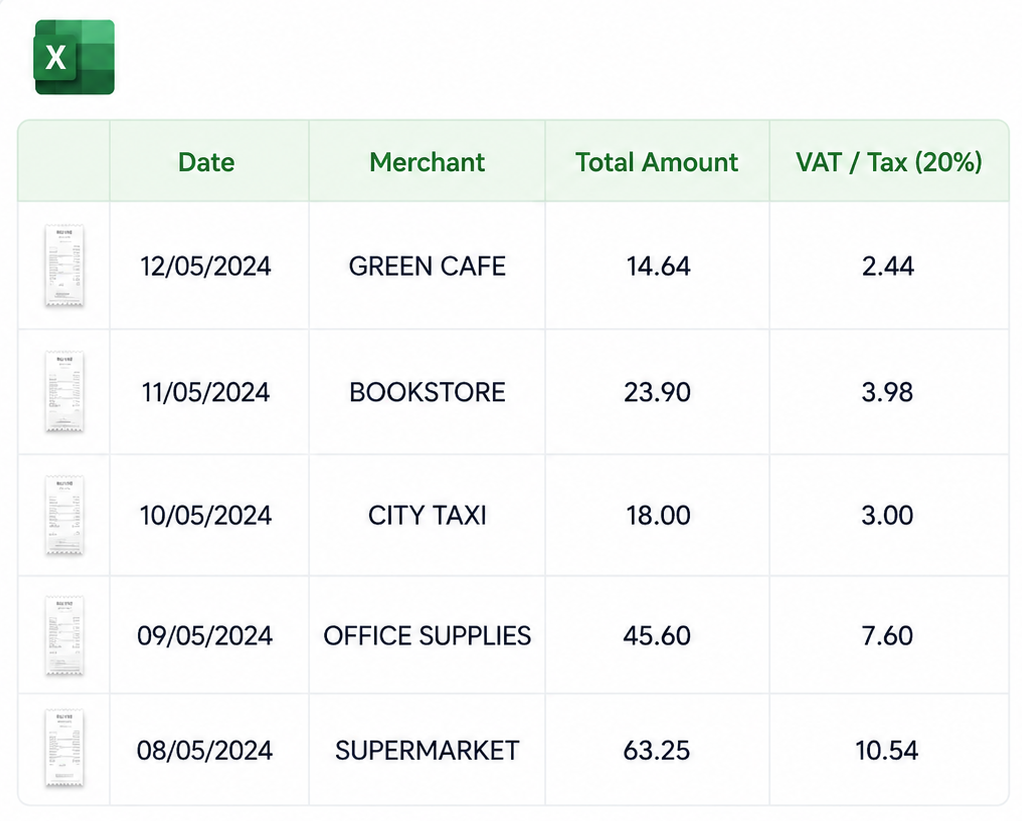
The extracted data is placed into a table automatically. Missing or uncertain fields are marked, and you can correct them easily by clicking the cell. If you wish, you can hide columns, reorder them, and adjust the headers to your own needs.
4. Download as Excel, CSV, or JSON
Download the prepared table in Excel, CSV, or JSON format with one click. The default column layout is preserved; when signed in, you can customize the output layout to match your own accounting template.
Supported documents and formats
ExpenSheet works with the document types you use every day:
- JPG and PNG photos of receipts, invoices, or POS slips
- PDF receipts and invoices — text-based PDFs read more accurately than photo-based ones
- Up to 10 MB per file
- Turkish (KDV), English (VAT), and German (MwSt) receipt terminology
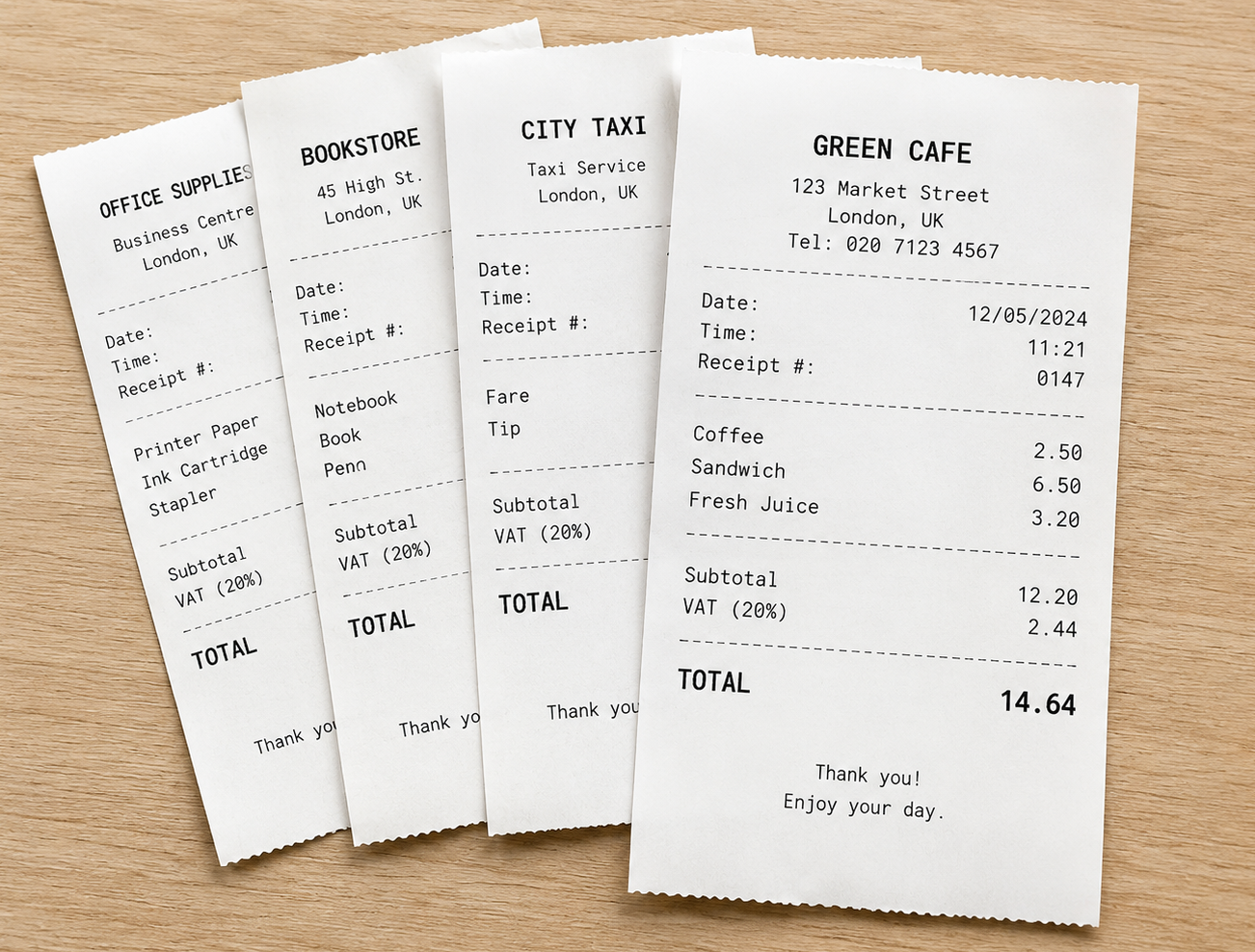
Example: from receipts to a table
Below you can see how uploading several receipts together combines them into a single Excel table.
Tips for the most accurate result
- Place the receipt on a flat surface and keep all edges in frame.
- Reduce shadows and glare; use even lighting.
- Photograph thermal receipts before they fade, ideally the same day.
- For PDFs, use a text-based file when possible.
- Manually check extracted values on high-value documents.
Guides
Practical guides for receipt bookkeeping, tax fields, Excel exports, and digital archives.
How to turn receipts into bookkeeping records
A practical workflow for converting receipt photos into clean expense records.
Read guideHow to read VAT and sales tax on receipts
UK VAT, US sales tax, and common receipt tax fields explained for spreadsheet review.
Read guideReceipt archiving guide for freelancers and micro businesses
A lightweight filing system for receipts: folders, file names, a weekly routine, backups, and accountant handoff.
Read guideExamples for importing receipts into Excel
Spreadsheet layouts and review steps for turning receipt OCR output into expense reports.
Read guideHow to fix common OCR errors in receipts
A checklist for catching wrong dates, missing tax lines, vendor-name mixups, and total mismatches.
Read guideReceipt and invoice retention practices in the UK and US
Country-aware practical habits for keeping receipts searchable, backed up, and audit-ready.
Read guide